

Back
/
It’s so irritating, right? She’s got a zoom class and the freaking internet is hanging up again!!! It’s not working, you don’t know why it’s not working, who to blame or how to solve it. Maybe just unplug the box thingie again to see if that will fix it? I’m going to walk you through this as fast as I can with as little nerd talk as possible so that you can get this fixed and get back to work.
Nerdy vocabulary word #1: Gateway
That box that you got from the service provider is called a Gateway and it may be grossly inadequate for your situation. The gateway is a multi-purpose box that does several things. Most network pros would tell you that one box creating a WiFi signal may only cover about 1500 square feet. So okay, you probably already know you need more than that one box to cover the house. But what do you actually need?

Professional networks don’t rely on the one box. There are several parts that make it work properly. Let’s focus on the part that creates the WiFi.
Second nerdy definition: Wireless Access Point
The Wireless Access Point (WAP) is the part that creates the WiFi. I want one WAP for about every 1200 to 1500 square feet. If my house is over 1500 square feet, then the one box won’t cut it.
There’s a bandaid solution that is cheap, and may help. It’s called a Mesh Wireless System or Wireless Extender. These boxes are not creating WiFi from scratch. They’re catching it wirelessly and rebroadcasting it. The problem is that they slow down the network. The better way is to have more actual hard wired WAPs. Yes, Bobby, it’s my soap box. I’ll get off now.
You know, that gateway that you got from the service provider can actually cause other problems? Many of them broadcast a public WiFi network for other customers to piggy back off your connection. And some of them are creating even more interference than that.
We had a major wireless congestion problem at someone’s house that we had to solve. Our crack team of investigative tech professionals went over there with this super expensive test equipment and found a rogue wireless signal being broadcast inside the house. They went all over the place turning everything off that they could find to isolate the source. It was coming from the gateway.
Sorry, just a little more nerd talk: The gateway was already in “bridge mode” which (logically) should turn everything off except the modem feature. But it didn’t. Can you guess how we solved it?
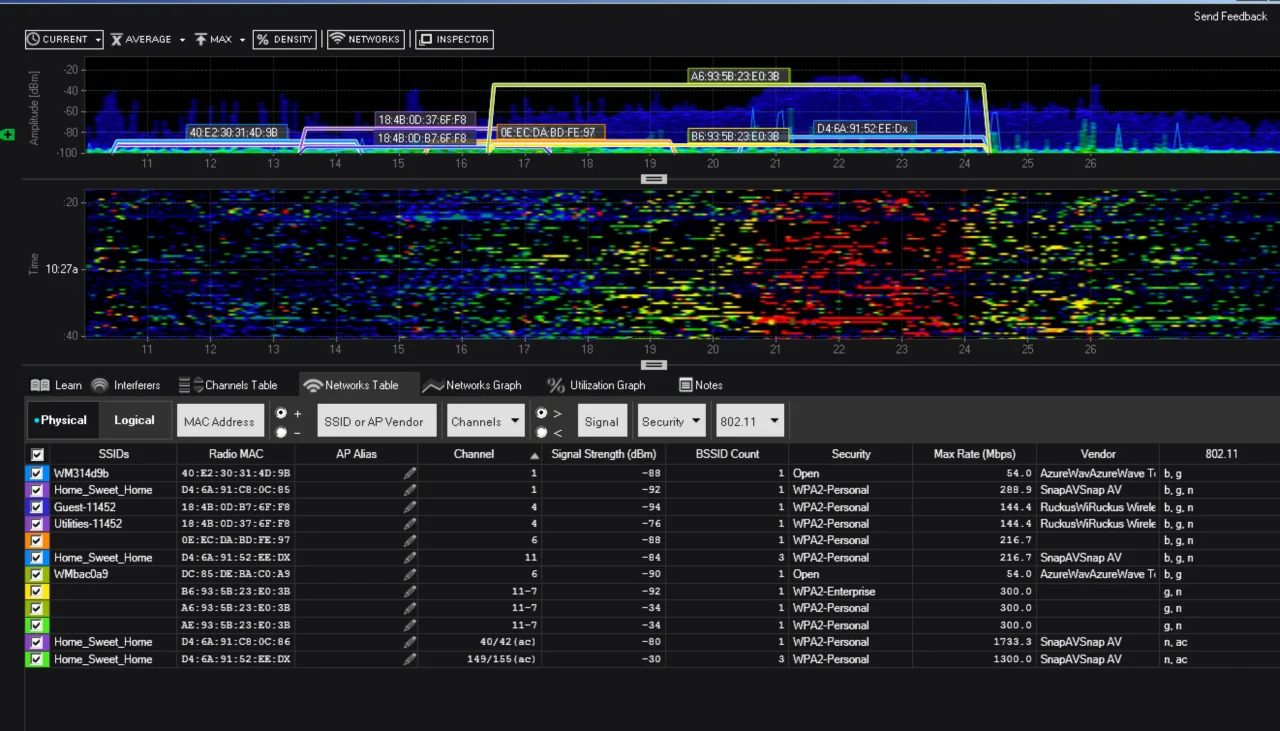
The gateway was creating a public network, plus creating an additional network just in case the customer decided at some point to add wireless cable boxes or wireless security hardware — which he didn’t have and would never have in this house. We spoke to the provider and THERE WAS NO WAY TO TURN IT OFF. They admitted that you could turn the public network off, but not the security and wireless cable signal. That rogue network was wreaking havoc on the main WiFi network in the house. How did we fix this? We promptly removed the gateway from the house. Did you know that you can do that? You don’t have to rent the gateway from the provider. In this case, we setup an Arris Surfboard Modem, and solved the problem. Sometimes it’s fine to keep the gateway and use it as the modem. Sometimes, we have issues with them and we take them out.
Here’s the truth for many people out there. If your place is 3000 square feet, and you put that gateway in the middle of the house, it might be fine. But most of the time, that box from the service provider is not enough to blanket your house with lighting speed WiFi. You’ve heard “Happy Wife = Happy Life”. That’s for sure the motto I live by…
But, when you’re working from home… “Happy WiFi” may be almost as important.

Ready to start your home automation journey?
From planning to execution, we can guide you every step of the way.Get In Touch